
Documentation Index
Fetch the complete documentation index at: https://solarservicesdocs.com/llms.txt
Use this file to discover all available pages before exploring further.
Disable Virus & Threat Protection.
Open Windows Security → Virus & Threat Protection → Disable all 4 security settings as seen below.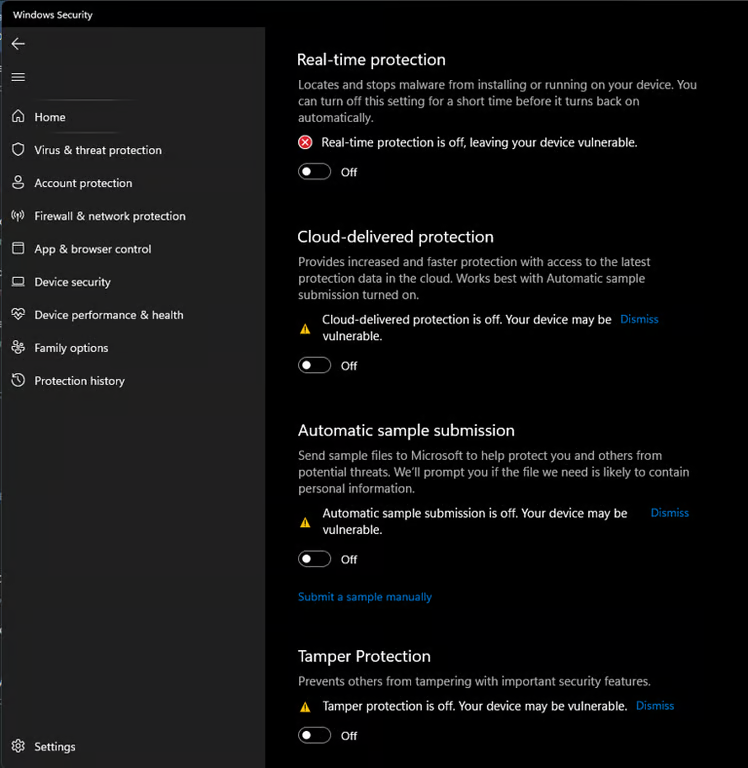
Run DControl To Permanently Disable Real-Time Protection.
Download Winrar, this is required to extract .rar files.Download Sordum Defender Control, then open it using Winrar, when prompted to enter a password, enter “sordum”, then click extract to, then ok. Open the extracted folder, open the dControl app and click Disable Windows Defender, proceed to the next step once it appears disabled within the app.
Disable Windows Firewall.
Open Windows Security → Firewall → Click into all 3 security options seen below and disable them.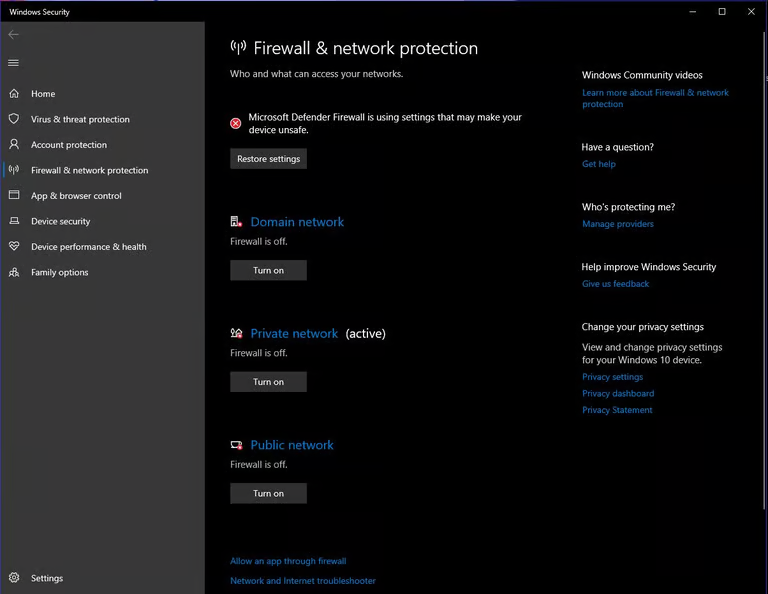
Disable Smart App Control.
Open Windows Security → App & Browser Control → Smart App Control settings → Turn it to off as seen below.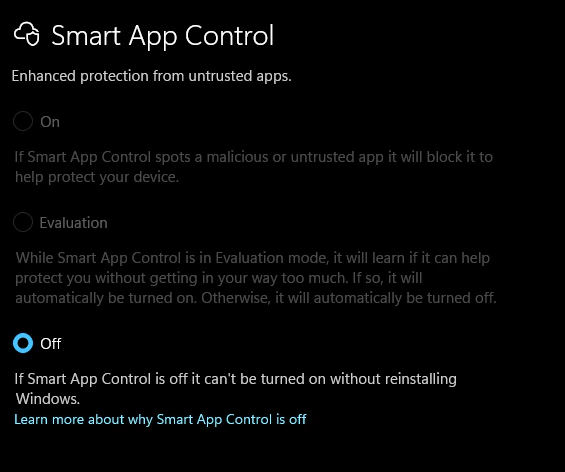
Disable Exploit Protection.
Open Windows Security → App & Browser Control → Exploit protection settings → Turn each option to off as seen below.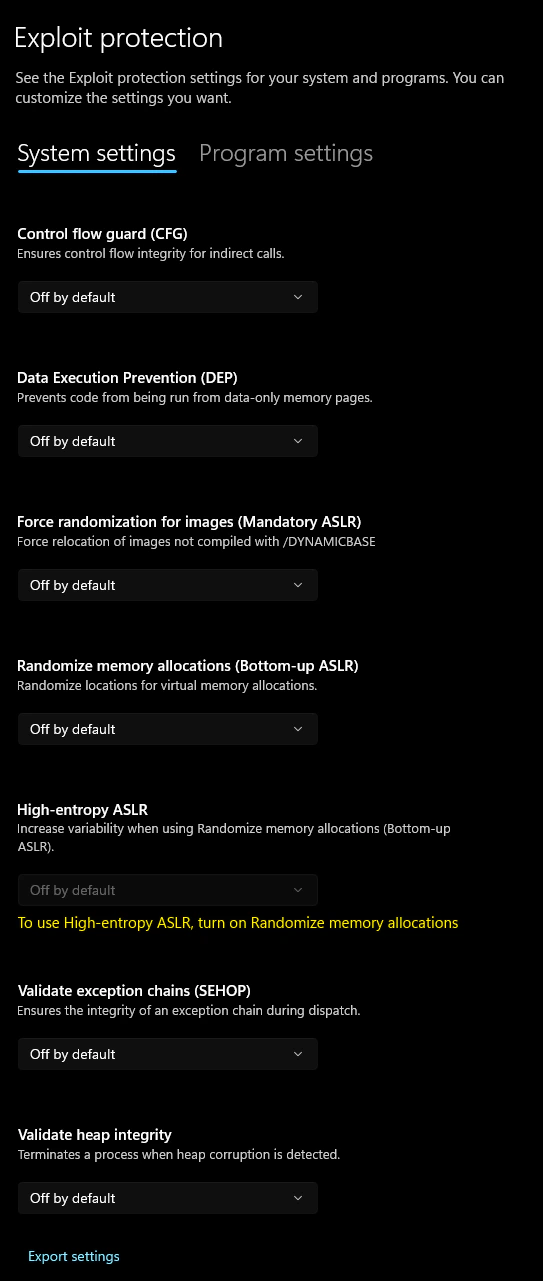
Disable Core Isolation.
Open Windows Security → Device Security → Core isolation details → Disable all 4 security settings as seen below (may have less settings, varies per windows build).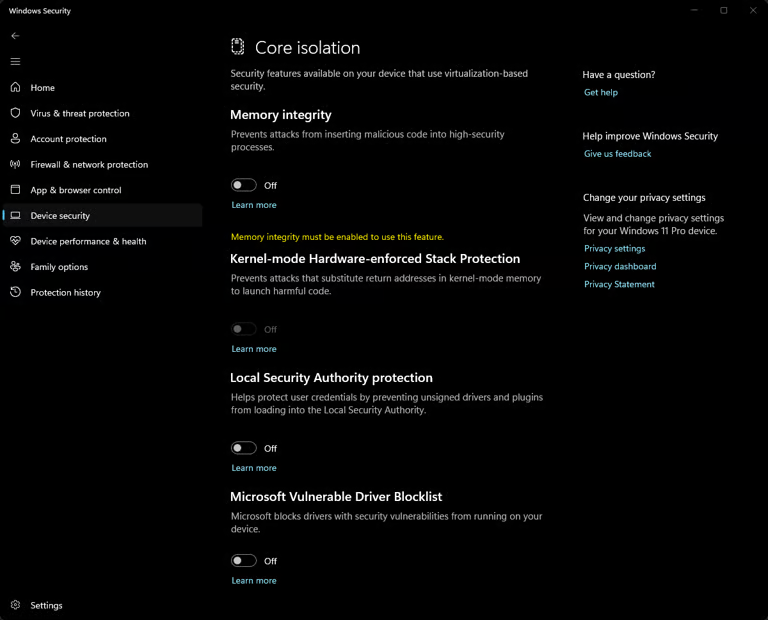
Uninstall 3rd Party Game Anti-Cheats that run 24/7.
Search Add Or Remove Program, ensure you are in the same place as seen below.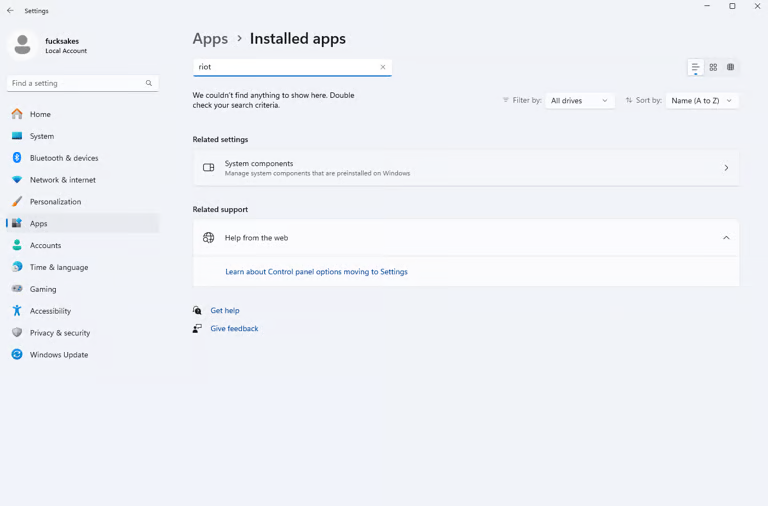
- Riot Client
- Vanguard
- FACEIT
- Any other 3rd party Anti-Virus programs.