Documentation Index
Fetch the complete documentation index at: https://solarservicesdocs.com/llms.txt
Use this file to discover all available pages before exploring further.
- Download & install the NVIDIA App from the link below.
NVIDIA App Download: https://www.nvidia.com/en-eu/software/nvidia-app/ - Once you install & open the app click continue on all the initial popups.
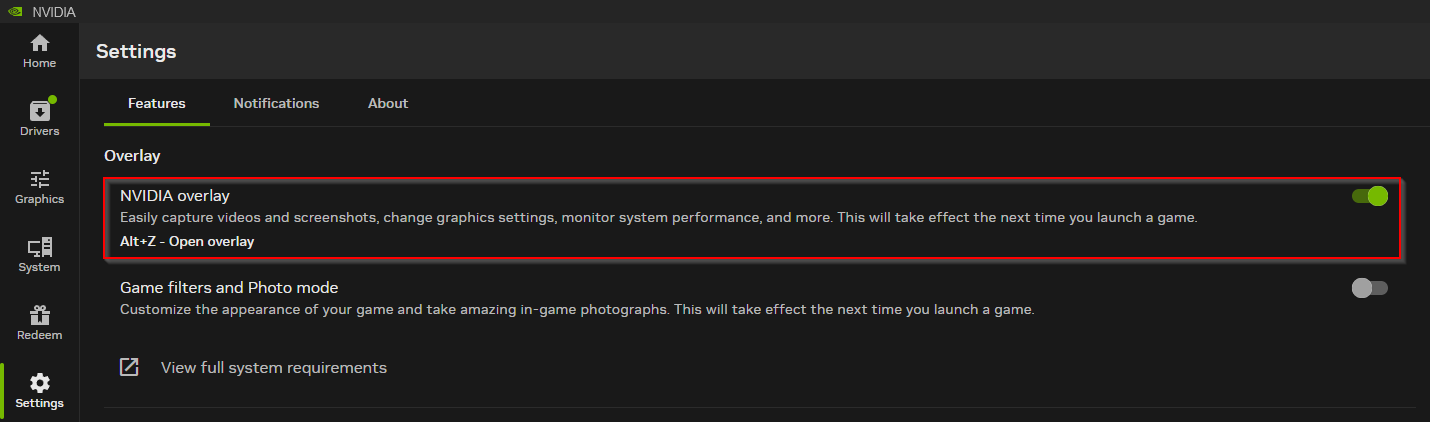
- Follow the image below, going to settings & enabling NVIDIA Overlay.