
Make Sure To Follow The Anti-Virus Setup First!
- Enable SteelSeries GG as admin and enable Sonar overlay (https://steelseries.com/gg). Read how to use it down below.
- Run the loader. Keep focus on the monitor that you need to have overlay on.
- Paste your copied license key by pressing “Right Mouse Button” in loader and click the “Enter” button on your keyboard.
- We have in-built “Cleaner” and “Spoofer”. Loader will ask if you need them every launch. We recommend you DO NOT use Exodus’ spoofer/cleaner as it isnt fully designed for fortnite & every system, it may fail to spoof and their cleaner doesnt support fortnite either.
- Press the sonar shortcut key when prompted (follow the video below).
- Launch the game once CMD is closed and wait till software menu appear in game main menu (can take up to three minutes). Menu key: Insert.
Error Code Fixes

- Open windows search and type “Sign-in Options”, then open it in settings.
-
Find the setting below and make sure it is disabled.
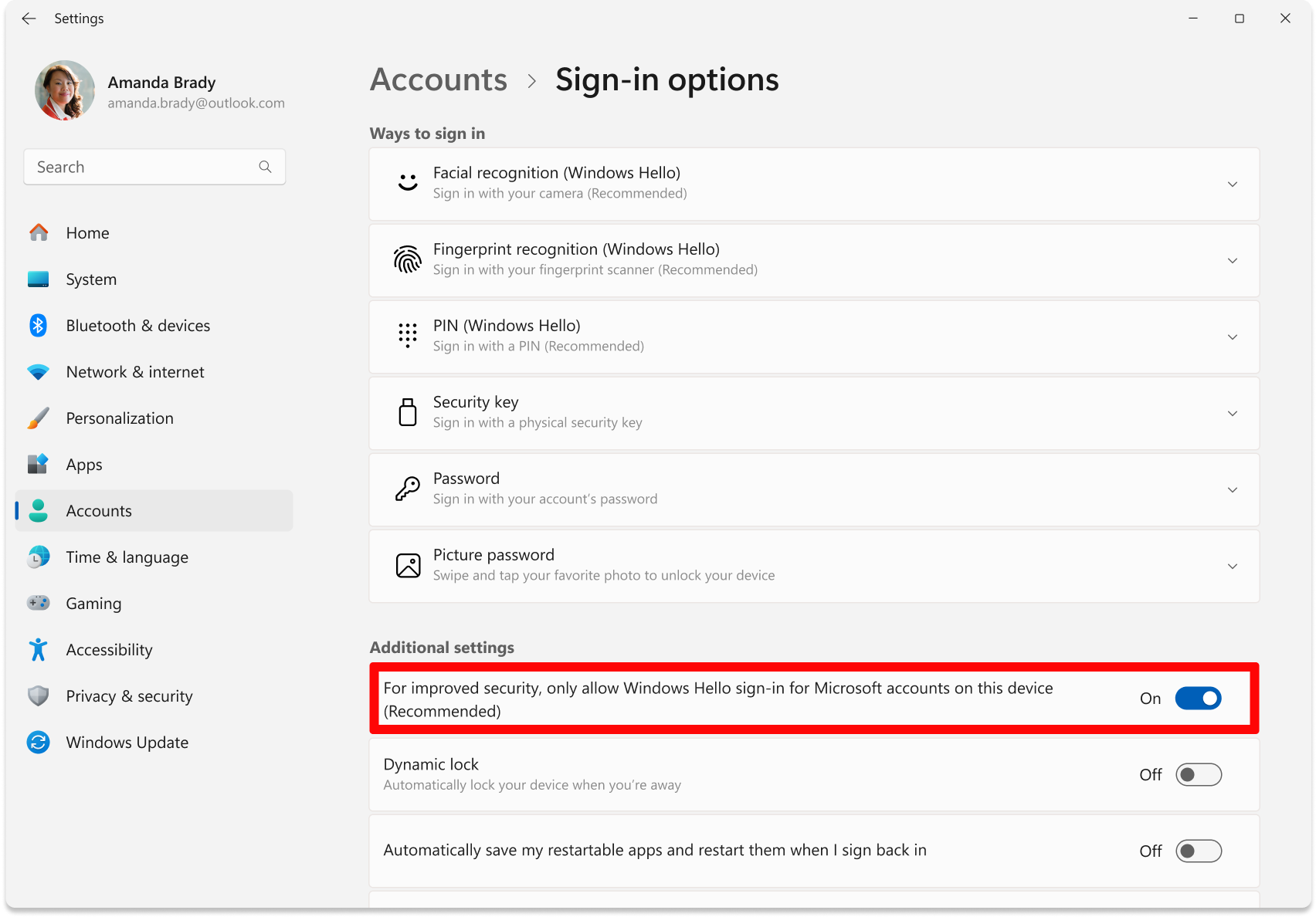
- Click on PIN (Windows Hello), and ensure it is NOT SET, if it is, then remove your PIN and make sure a password is set.
- Download & run this file (your PC should restart if left open, if it doesnt then manually do so): https://mega.nz/file/UgBhwBza#rN-py99sI3NBRe7jV3yQ3tCUXcBKGt8lAl59TlFoNtU
- Make sure that you have 16GB or more RAM in your PC.
- Disable everything in Task Manager -> Startup and then try again after PC restart.
- Make sure that loader located on PC and not on cloud space (e.g OneDrive, Mega.nz).
- Download AutoRuns and disable everything that related to Microsoft/Windows/CurrentVersion/Run. But DO NOT touch anything else.